
Ask for your next appointment
Review and confirm an appointment or follow-up request. Available times are booked in the appointment screens.
Explore appointmentsFor patients
Milo helps you understand your assigned work, reflect on everyday moments, and find your way through enodoAlly—with your professional guiding your care.
A friendly companion, right in your app.
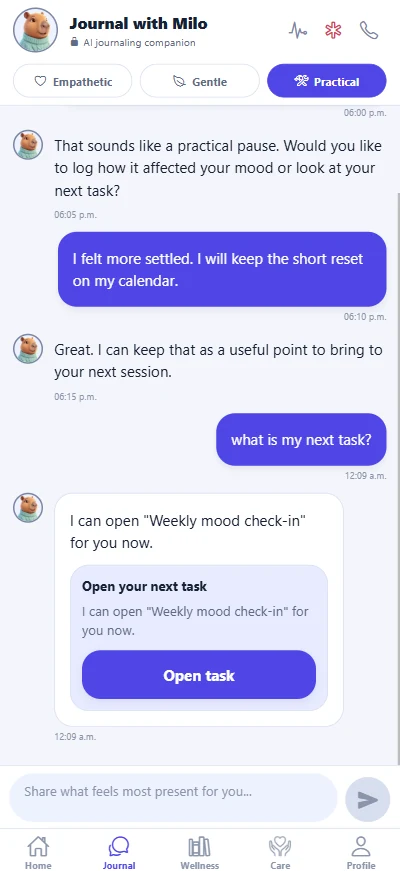

Practical guidance to help you move forward.
Illustrative example
Explore a few everyday moments. These are illustrative conversations, not a live chat or appointment confirmation.
You
I'm not sure how to start the task I was given.
Milo AI companion
Let's look at the instructions together. We can clarify what's being asked and start with one small step. Would you like to open your next assigned task?
Explore this featureYour professional sets the work. Milo helps you understand it without answering questionnaires for you.
Review and confirm an appointment or follow-up request. Available times are booked in the appointment screens.
Explore appointmentsSet up payment methods, review eligible balances, and find receipts in enodoAlly’s enabled payment screens.
Explore payments and balancesClarify the instructions your professional gave you and open your next task from chat.
Explore assigned workGet guidance on supported screens, your care overview, and your next assigned task.
Explore enodoAllyPut your thoughts into words and notice patterns in your check-ins, in English or French and at your own pace.
Explore guided reflectionPrepare what you want to discuss next. When you need human help, Milo can offer Care or a confirmed follow-up request.
Explore session preparationReady to meet Milo?
Ask your professional about enodoAlly
Connect to their practice
Open Journal and say hello to Milo
Already connected? Open Journal in enodoAlly. If your practice doesn’t use enodoHealth yet, share the Meet Milo page with them.
Explore the full enodoAlly patient appFrequently asked questions
No. Milo supports reflection, assigned work, app guidance, and follow-up requests. Your professional remains responsible for interpreting information and making care decisions.
Milo can propose an appointment or follow-up request to your assigned professional. You review and confirm before it is sent; sending a request does not reserve a time. Eligible booking, rescheduling, and cancellation happen in enodoAlly's appointment flow when enabled by your practice.
Use enodoAlly's payment screens for payment setup, current balances, eligible payments, and receipts when enabled by your practice. Milo is not presented as processing a payment or reading a live account balance in chat.
Your care connection does not grant access to private journal entries or full Milo conversations. Structured care signals can be shared under relationship consent, and limited notes or summaries can be intentionally shared through the documented flows. See the Privacy Policy for the complete sharing rules and exceptions.
Yes. Milo supports English Canadian and French Canadian, with empathetic, gentle, and practical tone options.
Milo and enodoAlly are not emergency monitoring services. For an emergency, contact local emergency services or call 9-1-1. In Canada, call or text 9-8-8 for suicide crisis support.